

Help center
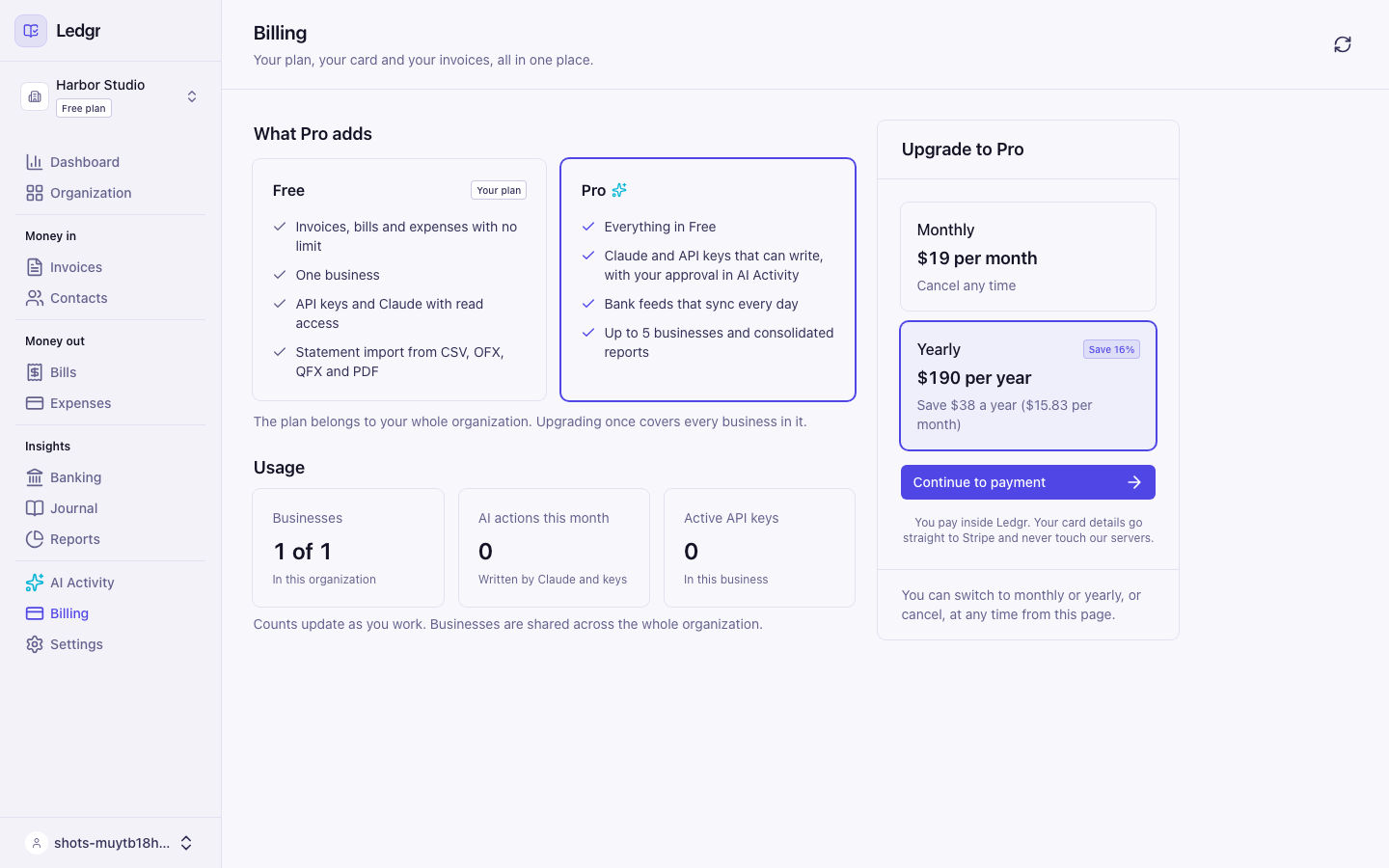
Upgrade to Pro
Pro lets Claude write to your books, links your bank so new transactions arrive every day, and includes 5 businesses in one Organization with consolidated reports. You can add more businesses for $5 a month each. You pay inside Bookledo. You never leave the screen you are on.
The plan belongs to your Organization, so one upgrade covers every business in it. Only an owner or admin can upgrade. If you are a member or viewer, the upgrade window tells you to ask one of them.
Upgrade from the Billing page
- Select Billing in the sidebar.
- Under Upgrade to Pro, choose Monthly or Yearly. Yearly shows how much you save compared with twelve monthly payments.
- Select Continue to payment.
- Enter your card in the secure payment form. The form is Stripe's, and your card details go straight to Stripe. Bookledo never sees or stores the full number.
- Select Pay and upgrade.
If your bank asks you to confirm the payment, the confirmation opens right on top of the form. Complete it there and the page carries on by itself.
After the payment, Bookledo shows Confirming your payment for a few seconds, then turns Pro on. A message at the top of the screen says You are on Bookledo Pro.
Upgrade from the screen that needs Pro
Several places offer Pro at the moment you need it, and the button depends on where you are.
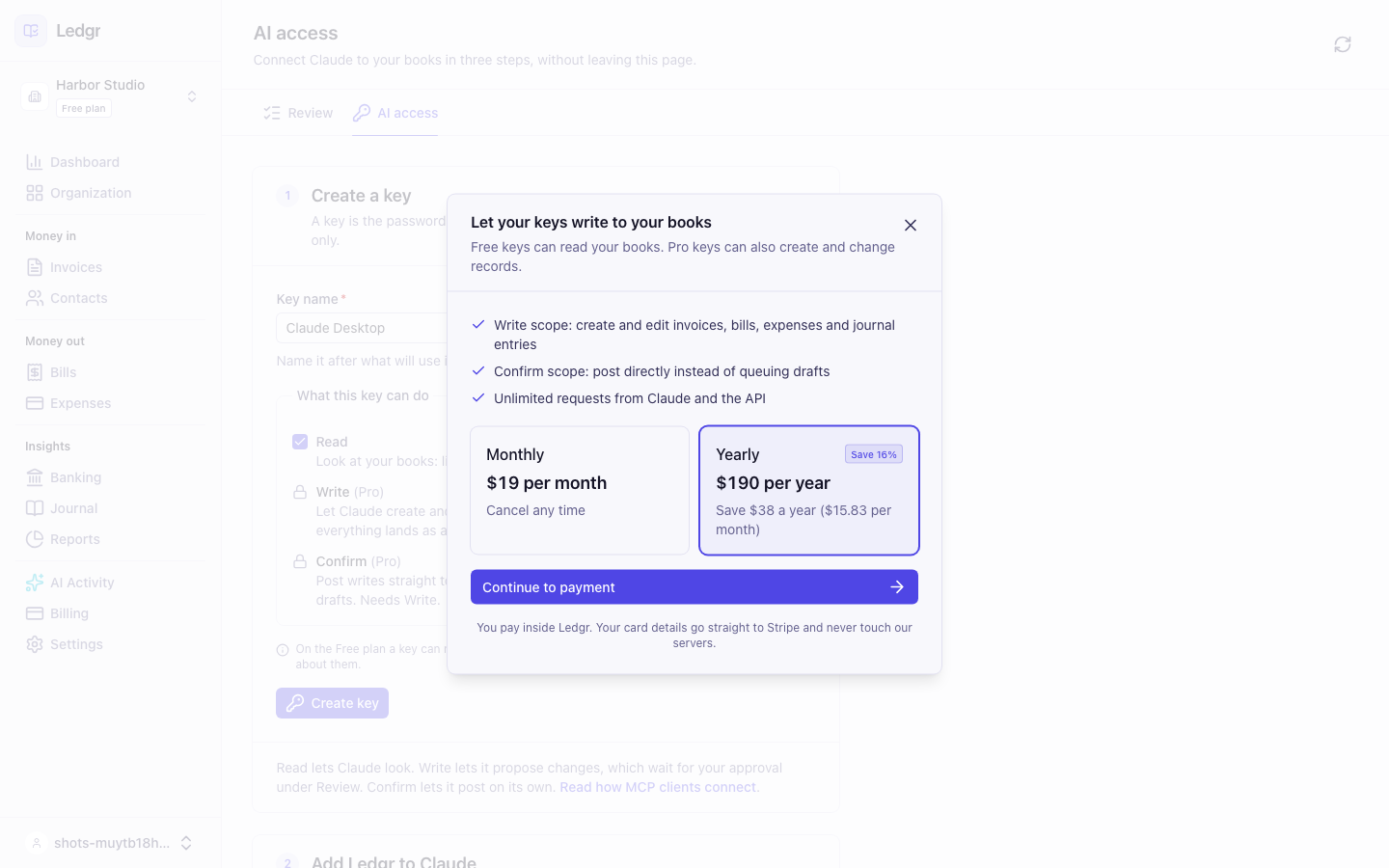
- Keys (Write or Confirm access): select Upgrade to Pro to allow Write or Upgrade to Pro to allow Confirm.
- Books (linking a bank) and Reports > Consolidated: select See plans.
- Adding a business or New organization: fill in the form and submit it. The upgrade window opens by itself when your plan is at its limit. You can also select Upgrade to Pro in the message above the form.
Then:
- A window opens over the same screen. It says what Pro adds for the thing you were doing.
- Choose a billing period, select Continue to payment, and pay.
- When the payment is confirmed, the window closes and the screen you were on unlocks. You do not need to go back and start again. Anything you had typed is still there.
Add more than 5 businesses
Pro includes 5 businesses in an Organization. Each business past that costs $5 a month, or $50 a year if you pay yearly. It is added to your existing Pro subscription, so you still get one invoice. Manage your subscription explains how the charge works.
If your card is declined
The form shows the reason your bank gave under the card fields, for example that the card was declined or has insufficient funds. Nothing was charged. Fix the card details or try another card, then select Pay and upgrade again.
If confirming takes longer than usual
Rarely, a payment takes more than about 20 seconds to show up. Bookledo then says Still confirming your payment and tells you it is safe to close the window. Your payment went through. Bookledo keeps checking in the background, turns Pro on when the payment arrives, and shows a message when it does.
If you leave and come back, open Billing. If a message at the top says An upgrade has not finished, select Check payment.